Field software, built in the field, for HV engineers.
Tools made by working Commissioning Engineers and time-served SAPs, not by a software house guessing what site work looks like. Offline-first, standards-faithful, and refined on real site work.
Offline where it matters
Switchrooms have no signal. Every tool works fully offline; nothing phones home mid-job.
Standards-faithful
IEC 60617 symbols, IEC/IEEE curves, DNO conventions.
Written by the people who use it
Every feature exists because someone needed it on a job, then refined it on the next one.
BTS Toolbox
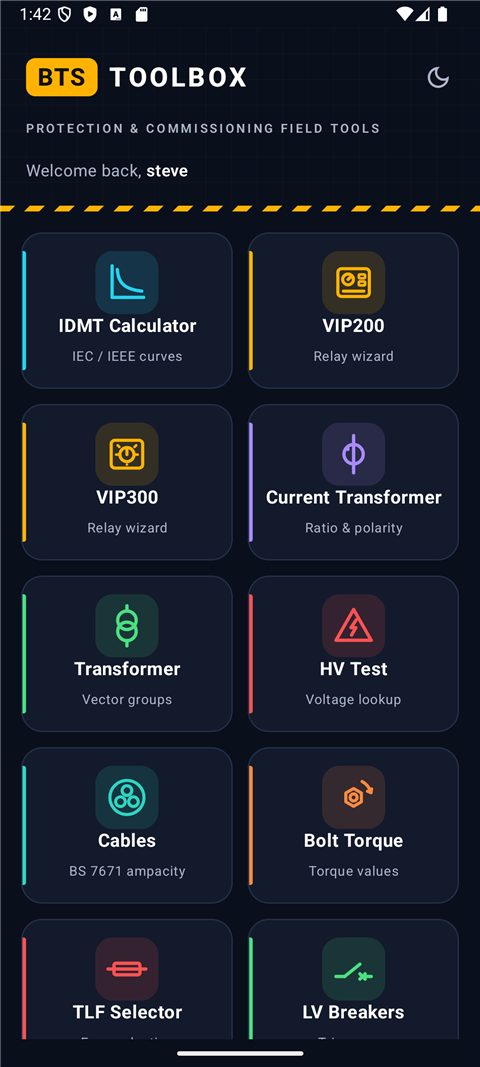
Protection and commissioning field tools: relay settings, trip calculations and lookups an engineer actually reaches for, working entirely offline in the switchroom.
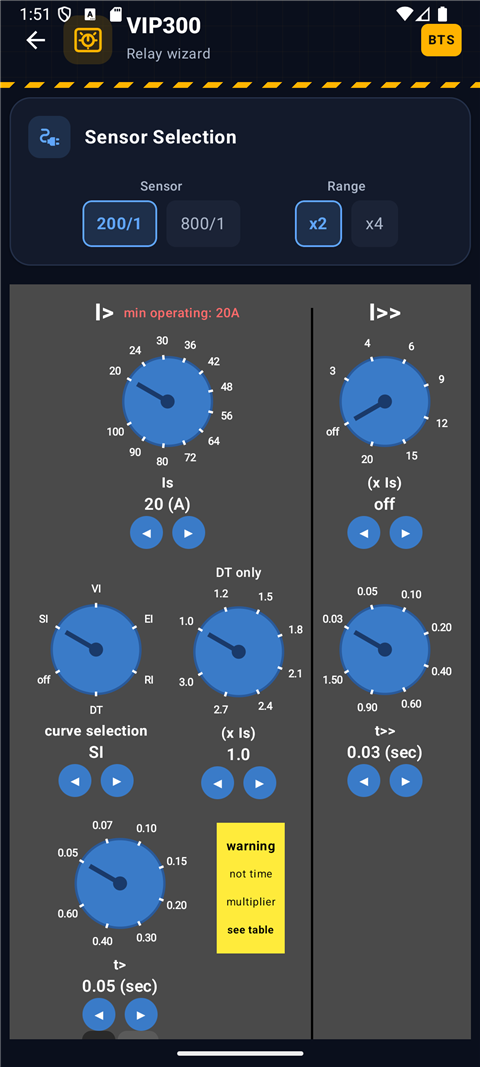
- Relay wizards that look like the relay. VIP300 dials, VIP200 DIP switches, Sepam and Terasaki, faithful to the fascia in your hand.
- IDMT operating times. IEC and IEEE curves, with CT ratio handling and the multiples commissioning actually uses.
- LV breaker trip units. ABB SACE Tmax and Emax families with pass/fail tolerance bands, plus the Terasaki ANU-1 OCR checker.
- CT tools. Ratio, polarity checks and clamp-on meter lookups.
- HV test voltages by DNO. NPG, UKPN, SPEN and ENWL schedules alongside IEC 60502-2 and IEEE 400.2, with every value citing the document it came from.
- Site lookups. Cable ampacity, transformer vector groups, bolt torque, TLF selection.
- Install and open. The app shows a device code unique to your handset.
- Email it to us. Tap Email licence request in the app and it fills everything in for you (or use the button above from a desktop).
- Paste back the key we send, and you're licensed. Ask for the 7-day trial to try before you buy.
First install? Android shows a warning. Here's the 20-second version
Because it isn't from the Play Store, Google Play Protect blocks it once with a scary-looking screen. It's safe; you just have to tell it to continue. The catch: the big blue OK button cancels the install. Do this instead:
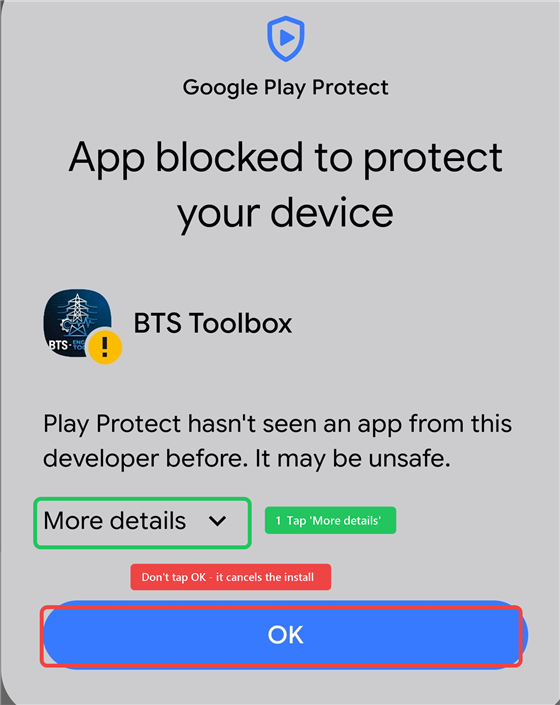
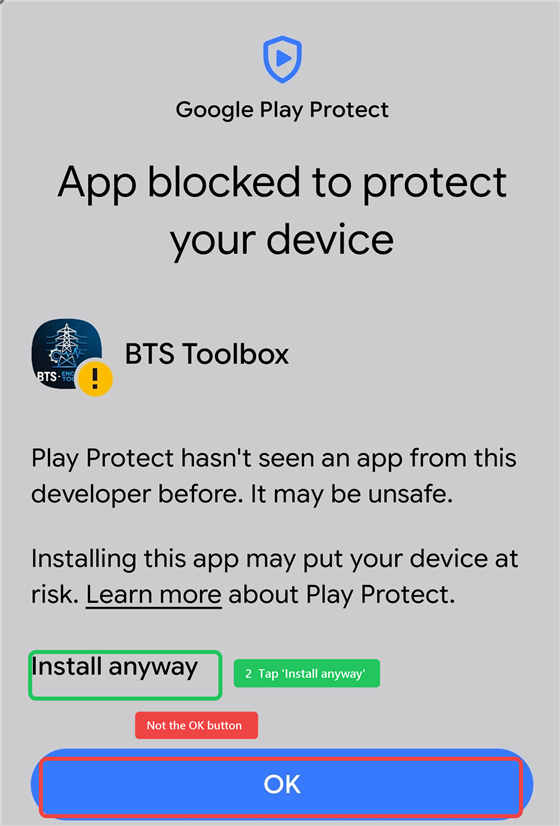
You'll also need to let your browser install apps the first time; Android walks you through that in a tap or two.
SLD Platform
Single-line diagrams and switching schedules for MV/HV sites. Walk the site with a tablet, lay out the drawing at your desk, print SLDs and staging diagrams for planned works.
- Survey on site. Capture substations, switchgear and connections on a phone or iPad, no signal required; share the site file when you're done.
- The diagram is the data. One network model drives the SLD, the asset register and the schedules. Nothing drawn twice.
- DNO-style switching schedules. Isolation and earthing sequences generated from the drawing; save and recall planned works.
- Print-ready sheets. Formal drawing sheets and switching documents straight to PDF.
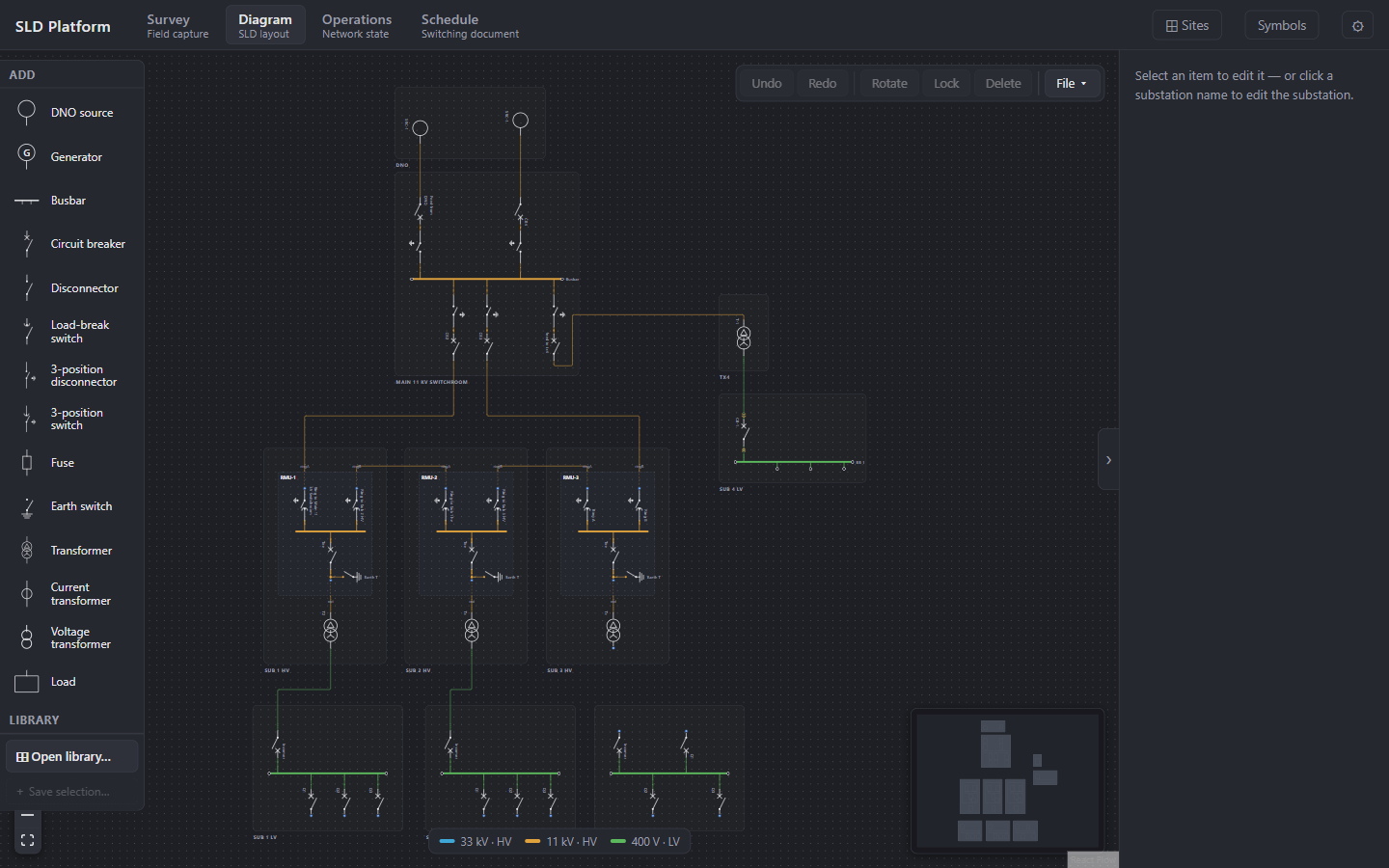
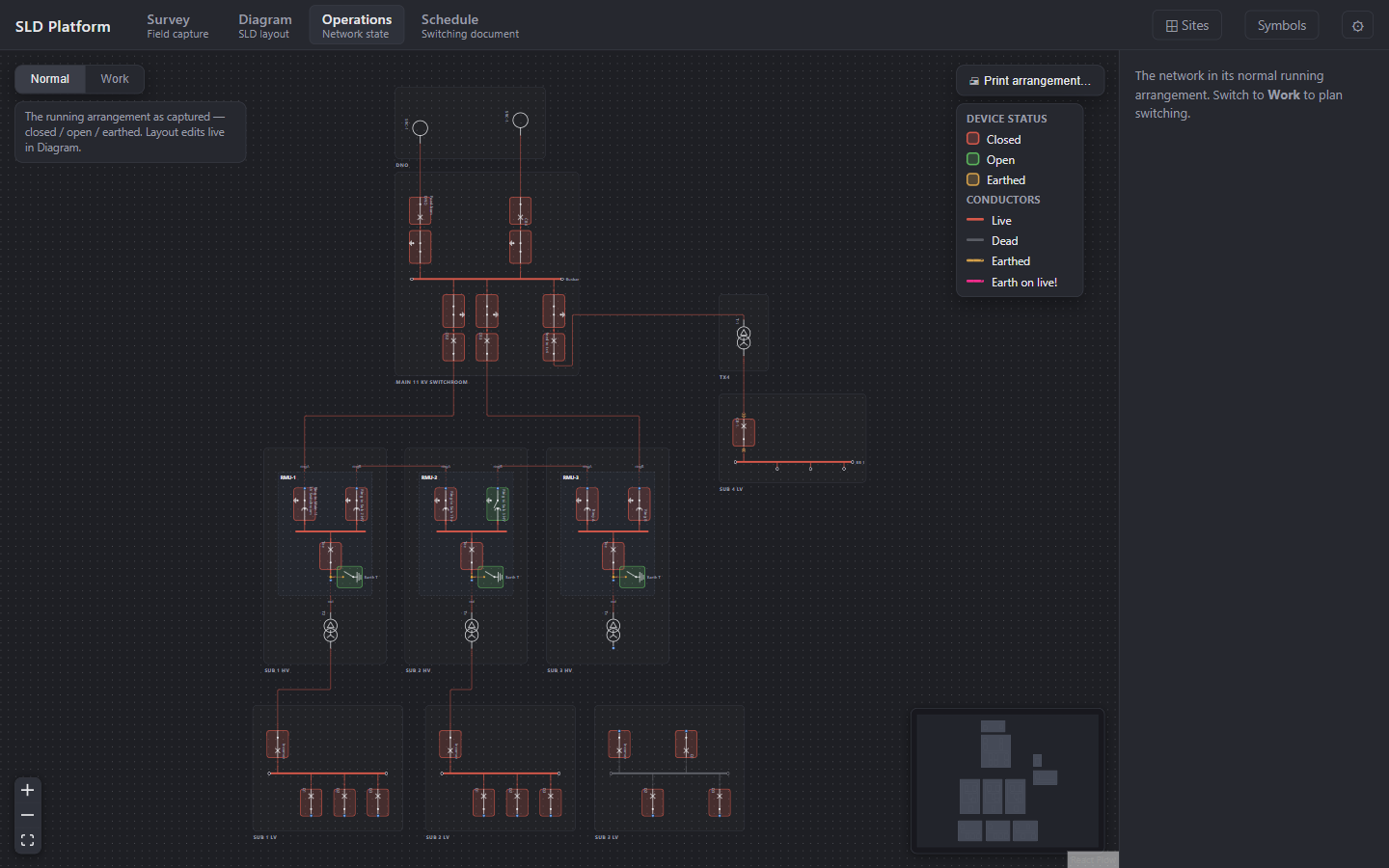
Scroll to run the switching schedule.
The schedule isn't typed up after the fact. It's generated from the drawing. Scroll through the isolation of TX2 and watch every operation land on the network exactly where it happens.
- As foundNormal running, TX2 on load
- Open, Safety Lock & CautionSub 2 LV Board, TX2 incomer
- Open, Safety Lock & CautionRMU-2, TX2 tee-off circuit breaker
- Prove deadTX2 - VPIS / HV cable terminations
- Apply circuit earthRMU-2, integral earth switch to TX2
- Issue Safety DocumentWork may proceed within the marked area
Take it to site.
Both tools are free to try. If they don't save you time on the next job, don't buy them.